My AI workflow has become much more iterative. Or perhaps more accurately: much more loop-based. I used to inspect almost every intermediate result. The AI would make a change, I would review it, give feedback, and then ask it to continue. Now, I increasingly let it run in loops.
In a classic dev scenario, an agent might inspect a codebase, change several files, update documentation, run tests, fix what broke, and repeat the process before I look at the result.
But the same pattern increasingly applies outside code. An AI agent may restructure a work-in-progress project document, update business rules, organize local files, or revise a preference set it uses for future tasks.
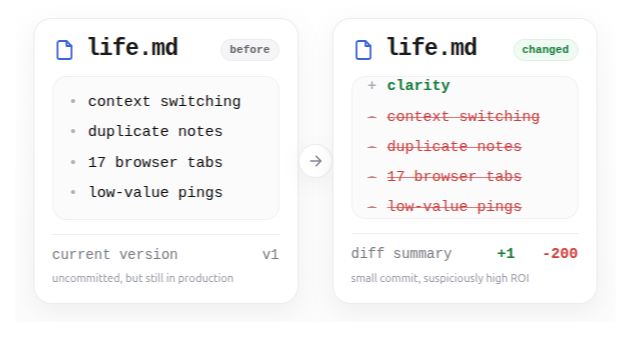
While this is incredibly productive, there is one question I keep coming back to: what did the AI agent actually change in this iteration?
Insert version control.
From step-by-step workflows to loops
Early AI workflows were highly supervised. We asked for one output, inspected it, corrected it, and moved to the next step. That still works, but it does not fully reflect how agents increasingly operate.
Today, we give AI broader objectives:
- Fix this feature
- Improve this project plan
- Clean up these files
- Update these preferences
- Refactor this workflow
The agent then enters a loop. It inspects the current state, makes changes, evaluates the result, and makes further changes. Sometimes it touches one file. Sometimes it touches twenty. This is where the productivity gains become substantial, but it is also where visibility starts to disappear.
The final result may look good. The tests may pass. The document may read better. The folder may be cleaner. But what happened between the previous state and this one? Call me old-fashioned, but I like to stay at least somewhat in control.
Code is the obvious example
Software and ML developers already have a strong answer to this problem: Git.
A coding agent may tell you that it fixed a bug, improved error handling, and cleaned up related logic. That summary is useful, but it is not the same as seeing the diff.
- Did it only change the relevant function?
- Did it modify configuration?
- Did it add a dependency?
- Did it remove a check that looked redundant but existed for a reason?
- Did it clean up something unrelated while it was there?
When an agent is allowed to operate freely, reviewing every action is often unrealistic. Reviewing the resulting changes is much more practical. Version control provides that thin layer of oversight.
You do not have to watch every step. You can let the agent work, then inspect exactly what was added, removed, or modified.
The same problem exists in project documents
This is not only a software problem. Suppose an AI agent is helping you develop a work-in-progress project document.
The document contains confirmed decisions, unresolved questions, rough ideas, assumptions, and several options that are still being evaluated. You ask the AI to make it clearer and more coherent.
The result may genuinely be better, but it may also subtly change the meaning.
- "Option B is worth exploring" may become "Option B is recommended."
- A tentative deadline may become a committed deadline.
- A messy but important note may disappear because it did not fit the new structure.
- Two distinct ideas may be merged because they appeared repetitive.
These changes are difficult to spot when you only see the polished final version. The AI may not have made an obvious mistake. It may simply have interpreted ambiguity differently than you would have.
A diff makes that interpretation visible. Instead of rereading the entire document and trying to remember what changed, you can inspect the specific sections that were rewritten, removed, softened, or made more definitive.
The same applies to business logic
Many AI workflows now sit somewhere between code and documents. They involve configuration files, operating procedures, customer rules, analytical assumptions, prompt files, project instructions, or internal knowledge.
These files may not look like software, but they can still influence important outcomes. Imagine an agent updating a set of business rules:
- Orders above a certain amount should be handled differently
- Certain customers should be excluded
- A metric should use a weighted average
- A report should prioritize one source over another
A small change in wording can create a large change in behavior. If the AI updates these rules over time, the current version is not enough. You need to know what changed, why it changed, and whether the change was intentional.
That is version control in spirit, even when the artifact is not code.
Even your preferences may become versioned
The same pattern appears in more personal workflows. Suppose an AI assistant maintains a file containing your gym preferences, connected to something like a Telegram bot.
It may include:
- Preferred training frequency
- Exercises you enjoy
- Movements you temporarily want to avoid
- Session length
- Current goals
- Available equipment
Over time, the AI updates this information based on your conversations. While that can be helpful, it also creates a new question: what did it learn, and what did it overwrite?
Perhaps you said you wanted shorter sessions during a busy month, and the AI turned that into a permanent preference. Perhaps you avoided one exercise because of temporary discomfort, and the AI now treats it as something you never want included. Perhaps one unusual workout causes it to alter the assumptions behind every future program.
Once AI systems maintain persistent context, preference files, or memory, changes to that context matter. Those changes should be inspectable too.
You do not need to watch everything
The point of version control is not to slow the AI down, but rather to move quickly without forcing you to surrender control.
In a loop-based workflow, the process can be simple:
- Preserve the current state
- Let the agent work
- Review the resulting diff
- Accept, reject, or revise the changes
- Repeat
Use Git, or just ask for the diff
For code and local text files, Git is the obvious solution. Commit the current version before the agent starts. Let it work. Then inspect the diff.
But the broader principle does not depend on Git. For documents, use version history. For project folders, keep snapshots. For configuration and preference files, preserve earlier versions.
At the simplest level, ask the AI:
What did you change compared with the previous version?
Or:
Before making changes, preserve the current state. When finished, show me the diff.
The specific tool matters less than the habit.
Creation is cheap. Traceability is valuable.
As AI becomes more capable, we will naturally give it more freedom. We will stop reviewing every sentence it writes and every file it touches. That is not necessarily careless. It is the point of automation. But greater autonomy makes traceability more important, not less.
When AI creates and edits at high speed, the latest version is not enough. We also need a clear view of the path from the previous version to the current one. Version control is a remarkably simple way to maintain that view.
Let the AI run. Just make sure you can still see what it changed.